
MISSIONGET / WEARABLE OFFICE ASSISTANT
Your desk can stay.
Your work can move.
Give a passing thought somewhere to go.
An office experiment that connects AI glasses, a phone and a shared workbench.
01 / THE QUESTION
So much work waits
until we get back.
An action item on the way somewhere. An idea in the middle of a meeting. Capturing it is only the start. Later, we still have to find it, explain it again and open the right tool. We wanted to shorten that journey.
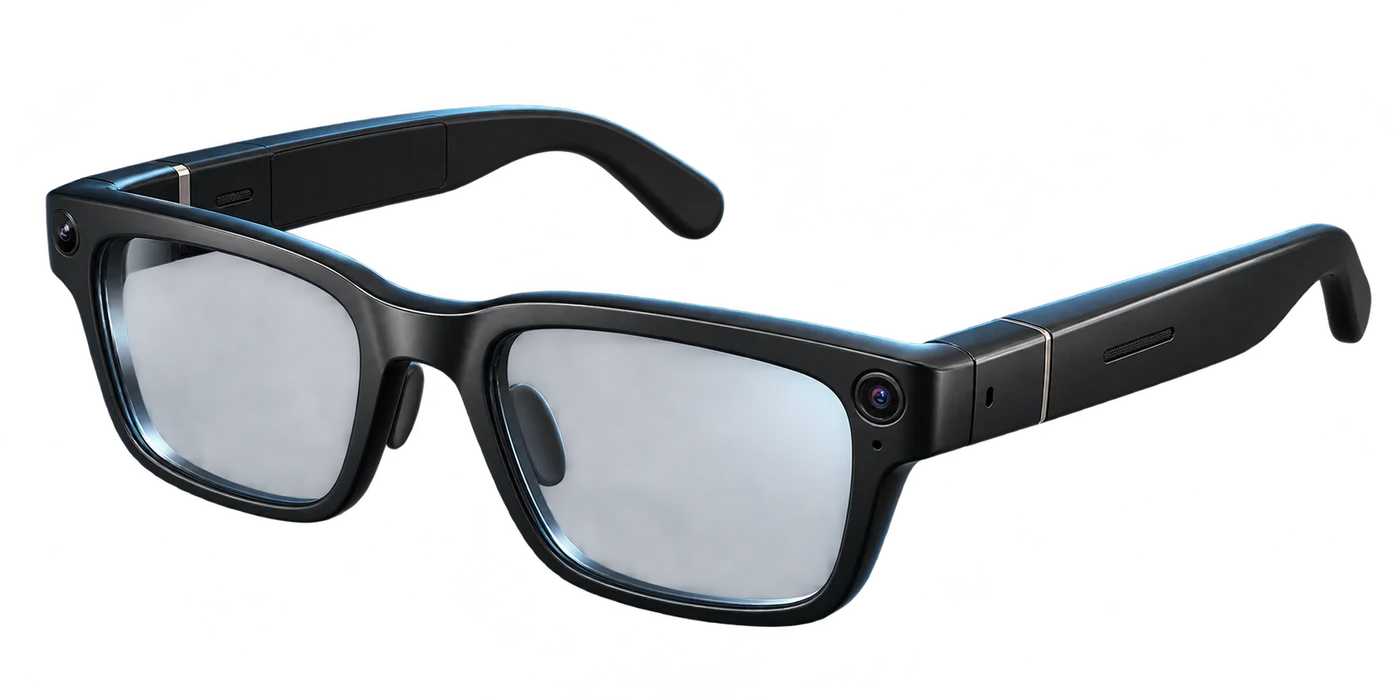 AG05 / INPUT TERMINAL
We used AG05 glasses and the vendor SDK. Our focus was the experience behind them. Glasses capture speech, a phone carries the conversation, and Xiao Mi (小觅), MissionGet’s assistant, connects the request to the same MissionGet workbench.
- Glasses · capture
- Phone · talk and confirm
- Workbench · work and files
Glasses are the input. Tasks and deliverables live in MissionGet.
02 / THE FIRST FRICTION
Connected.
But not working yet.
The first version could record and transcribe. But finishing a sentence still meant stopping the recording, sending the text and finding the task entry on a phone. The steps had followed us away from the desk.
Why am I still tapping after I finish speaking?
There is more after “connected.”
A control connection does not mean the microphone is ready. Receiving text does not mean a task ran. People need to know what happened and who takes over next.
- 01Connect glasses
- 02Capture speech
- 03Review request
- 04Hand off work
03 / THE DESIGN DECISION
Let the conversation
carry on.
A pause ends a short command; after the reply, listening can continue. Meeting recording gets a separate path, with audio and transcripts kept. Actions that change real work still stop for a person to confirm.
- 01Say the request
- 02Pause to finish
- 03Hear the reply
- 04Review and confirm
Let the system finish recording and continue the conversation. Keep the business decision with the person.
Fewer taps.
A deliberate moment to decide.
04 / A LITTLE EXPERIMENT
Your turn.
Hand off a sentence.
Pick a scenario and follow the request from the glasses to the workbench.
INTERACTIVE DEMO · fixed examples, no real account
01 / GLASSES
Pick a sentence. See where it goes.
 Xiao MiReady
Pick a sentence. See where it goes.
03 / WORKBENCH
Ready for the next thing
A confirmed request continues here.
Try it again as often as you like. Your real account stays untouched.
05 / BACK TO THE REAL PRODUCT
One MissionGet.
One shared piece of work.
A separate task page was quick to make. Connecting it to the actual platform took more decisions about accounts, messages and files. We brought the phone back into the existing product so the conversation could reach the work on the desktop.
We removed duplicate navigation and assistant launchers, and reused the same account. Requests initiated on the phone could be found on the desktop; confirmed files returned to the same task.
This time, the file showed up at the other end.
- ↗
Request from the phone
- ↗
Generate and save after confirmation
- ↗
Same file on desktop
We checked the handoff with a test document: a request started on the phone, a file was saved in the workbench, and the same result appeared on desktop. The sentence finally had somewhere to return to.
November 2026 · cross-device integration check · test document06 / OUT OF THE RENDER
Then we brought it
into the room.
Glasses, a phone, a workbench and a poster, together on the demo table. A rendered idea became something people could see and ask about.
Project demonstration · about 29 seconds, including voice requests and workbench use
07 / STILL IN PROGRESS
A few fewer taps.
That is what comes next.
This prototype brought voice, phone and workbench closer together. Photo transfer from the physical glasses button was still awaiting acceptance, and foreground voice interaction has conditions. Next is making those boundaries clearer and more dependable.
The design continued beyond the screen.
Connect, listen, confirm, execute. Each handoff needed care.
Three decisions behind the integration +
Separate device control from audio readiness. Give short commands and meeting recording distinct paths. Reuse the official account, tasks and files while keeping business confirmation. This case covers design and prototype integration; it does not claim hardware authorship or present fixed examples as live execution.
Platform and engineering / MissionGet team
Hardware and SDK / OneGlance AG05 vendor
Visuals / AI-assisted scenes; device interfaces and event photos labeled separately